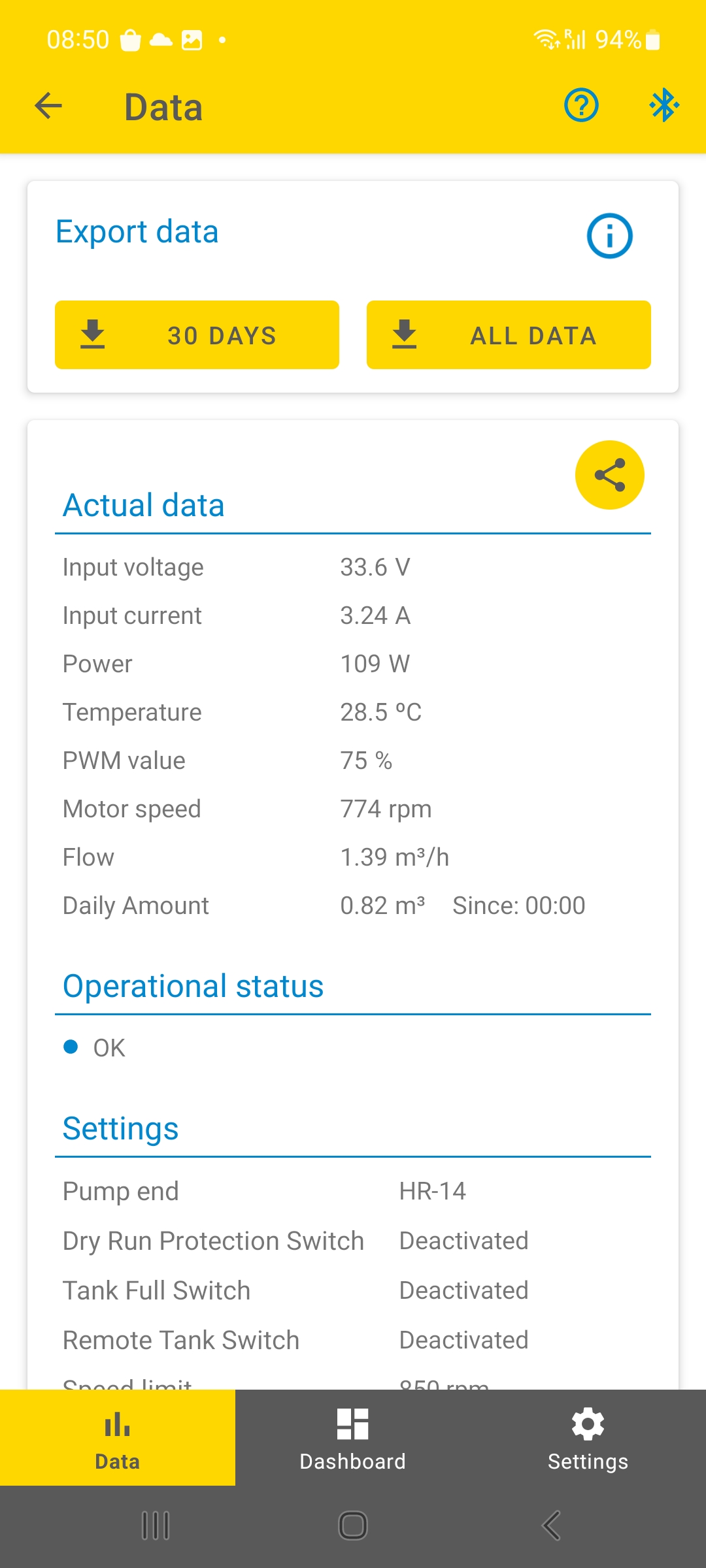
Your pump system stores data such as solar power, water flow, motor speed, errors, and more. This data can be viewed in the S-Connect app while connected to the controller, and it can also be exported for analysis at your desk or home.
To export data:
- Open the "S-Connect app"
- Tap on "Data"
- Select the data range you want to export. You can choose to export “ALL DATA” or the last “30 DAYS” of data.
IMPORTANT: The “ALL DATA” export option contains all available data stored on the controller since its manufacture. The app will generate a corresponding ZIP file. Please note that memory is limited, so the “ALL DATA” option can contain a maximum of 4096 entries. Once this limit is reached, the oldest entries will be overwritten. The exact behavior depends on the amount of data collected and varies according to the system’s usage and application.
fullscreen